
Transform Your Photos with Pixtoki AI: Complete Style Transfer Tutorial
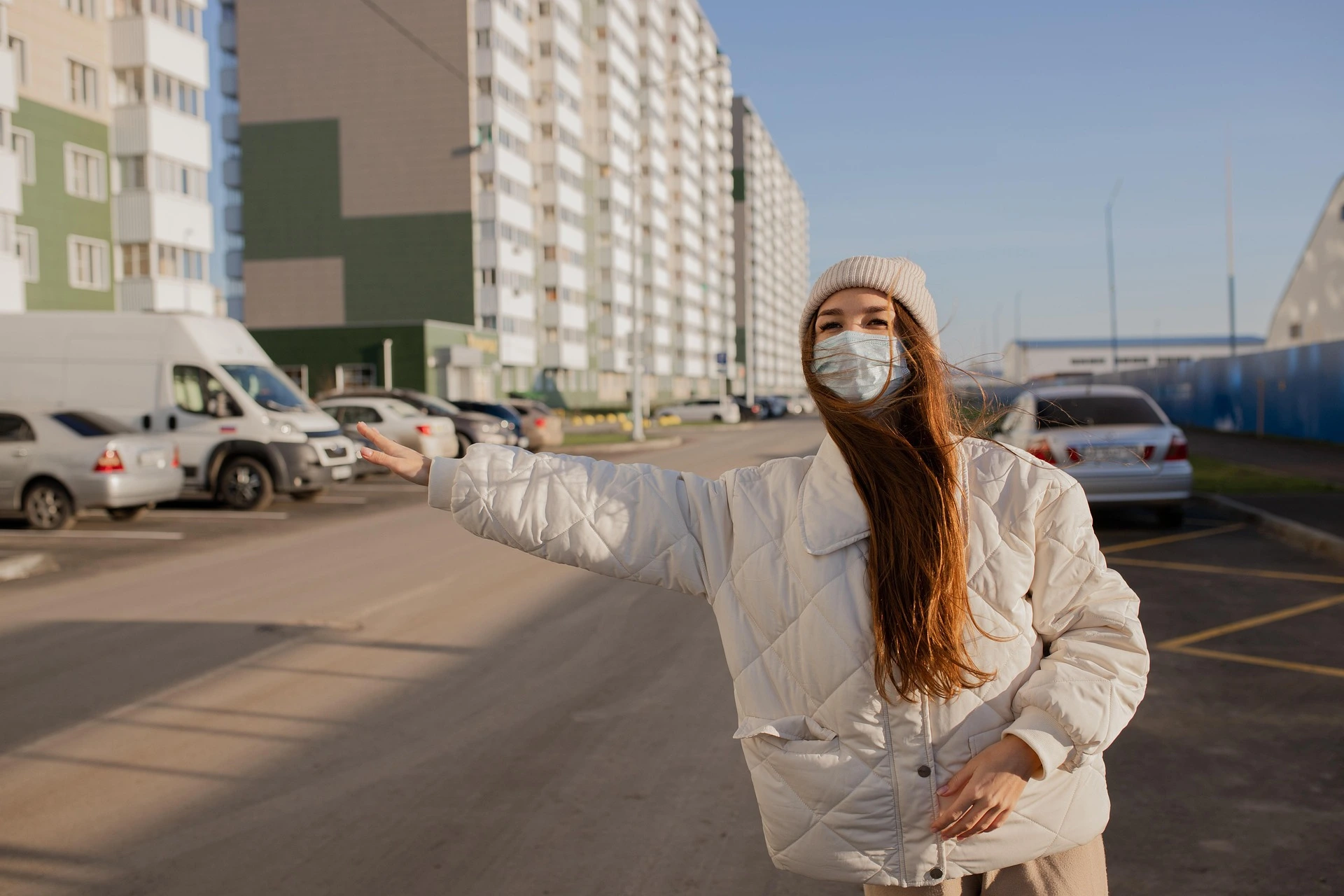
Transform Your Photos with Pixtoki AI
Want to turn your regular photo into a cinematic masterpiece?
Meet Pixtoki AI, your intelligent photo editor powered by advanced AI style transfer and image transformation technology. This guide will walk you through how to use Pixtoki AI to create professional-quality visuals — all in just a few clicks.
What Makes Pixtoki AI Special
Pixtoki AI is more than a simple image editor. It’s an AI-powered creativity engine designed for photographers, designers, and everyday users who want to elevate their photos effortlessly.
✨ Core Features:
- 🎨 AI Style Transfer: Apply trending art styles to any photo
- 🌆 Background Replacement: Instantly move your subject to new environments
- 👩🎨 Portrait & Face Editing: Modify expressions, outfits, or hairstyles naturally
- 💡 Lighting & Atmosphere Control: Adjust sunlight, mood, and tone
- 🌈 Color Mood Editing: Enhance emotion through cinematic color palettes
These tools combine to give you studio-level image control without any manual editing.
Step 1: Set the Scene with Background Transformation
The fastest way to change the story of your photo is by transforming the background.
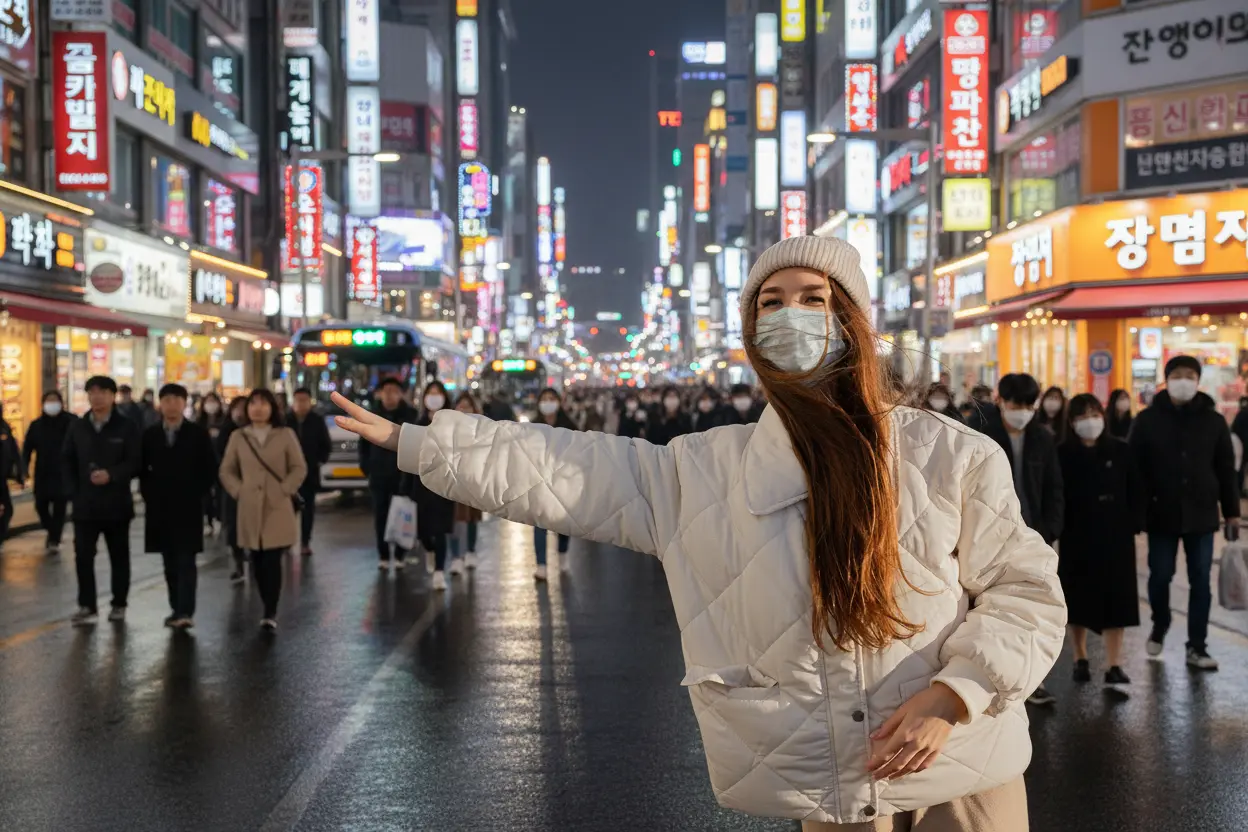
Let’s start with something dynamic.
🧠 Prompt Example:
“Replace the background with a lively Tokyo Shibuya crossing at night, full of neon lights and reflections.”
This kind of descriptive prompt helps Pixtoki AI understand the scene’s atmosphere, lighting, and cultural tone, producing realistic and visually striking results.
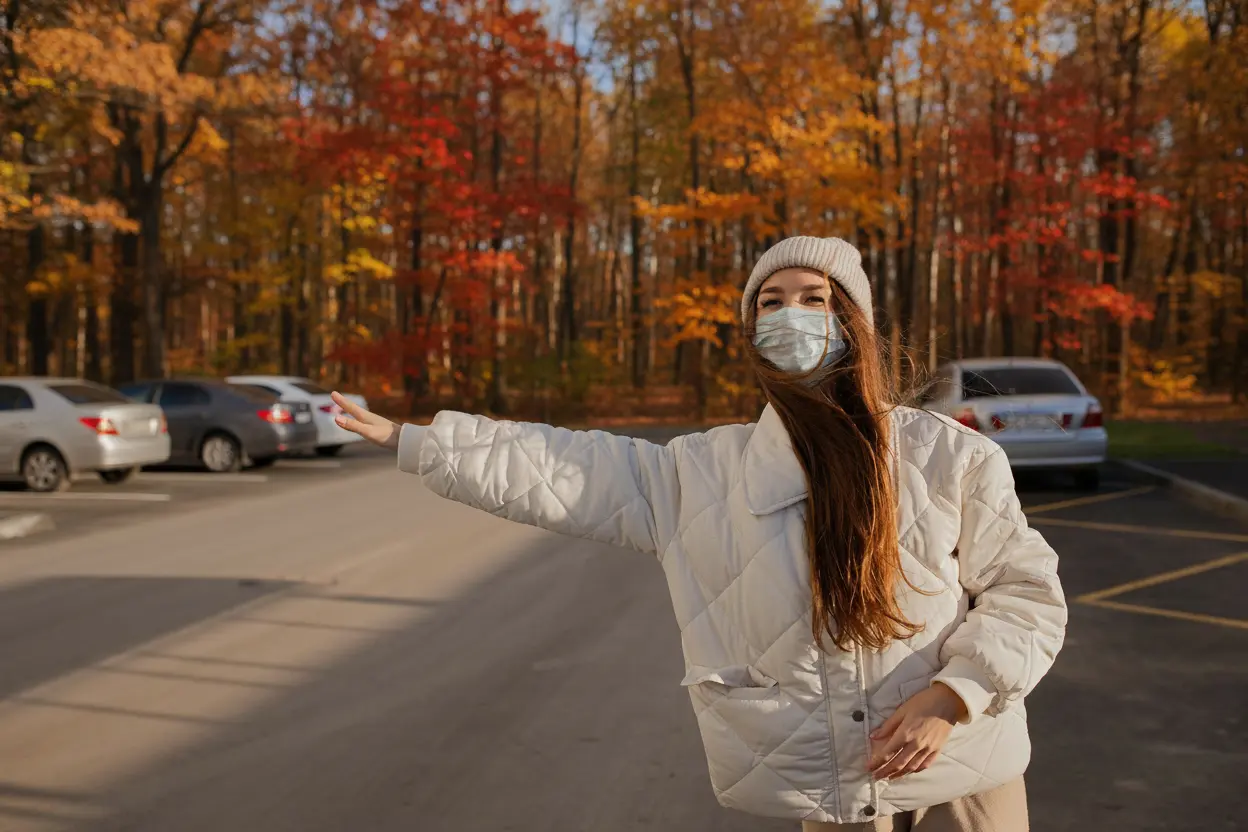
Prefer something calm and natural? Try a poetic setting.
🧠 Prompt Example:
“Move the subject to a serene mountain path covered in golden autumn leaves, with gentle sunlight streaming through the trees.”
By combining seasonal, spatial, and emotional details, Pixtoki AI renders backgrounds that feel genuinely immersive.
Step 2: Enhance Your Subject with AI Precision
Pixtoki AI doesn’t just alter backgrounds — it can refine the subject’s details with pixel-level precision.
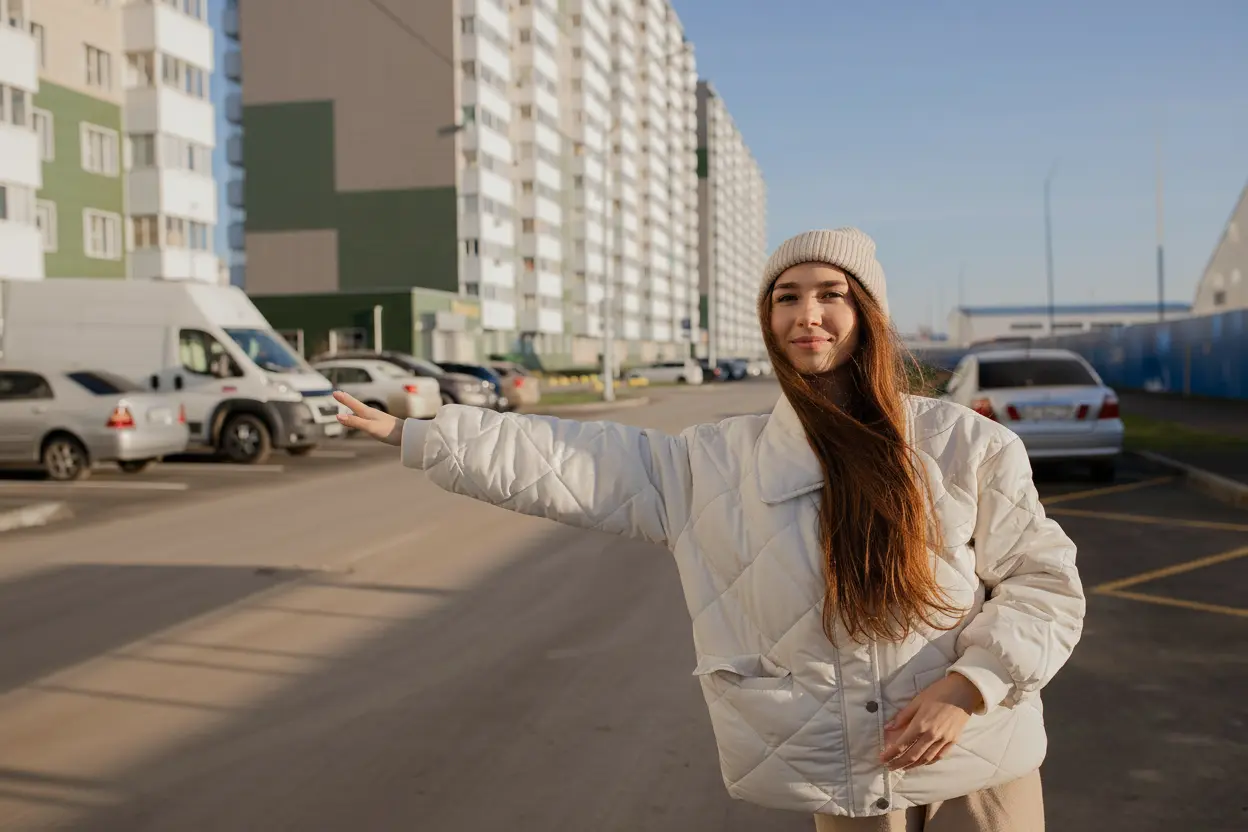
Want to reveal a hidden smile or change an outfit’s mood?
🧠 Prompt Example 1:
“Remove the mask naturally and give the person a warm, gentle smile.”
🧠 Prompt Example 2:
“Turn the beige jacket into a dark green trench coat with realistic fabric texture.”
By specifying colors, materials, and lighting cues, you guide the AI to create photorealistic and emotion-rich outcomes.
Step 3: Control Light and Color for Emotional Impact
Lighting defines the soul of a photograph.
Pixtoki AI lets you rewrite the time of day, color temperature, and overall tone effortlessly.
🧠 Prompt Example:
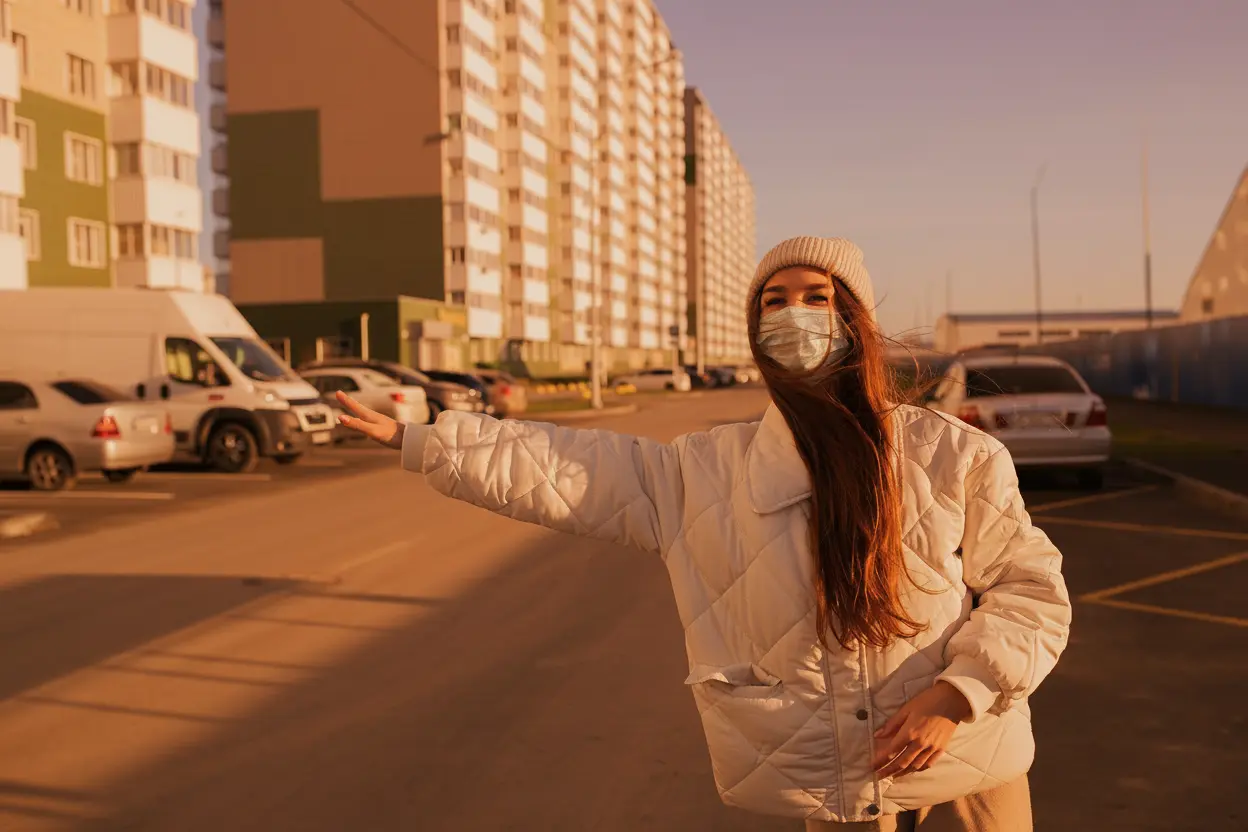
“Transform the lighting to a warm golden-hour sunset with soft orange highlights and long shadows.”
This simple change introduces depth, dimension, and cinematic atmosphere.
For futuristic vibes, experiment with bold lighting styles:
🧠 Prompt Example:
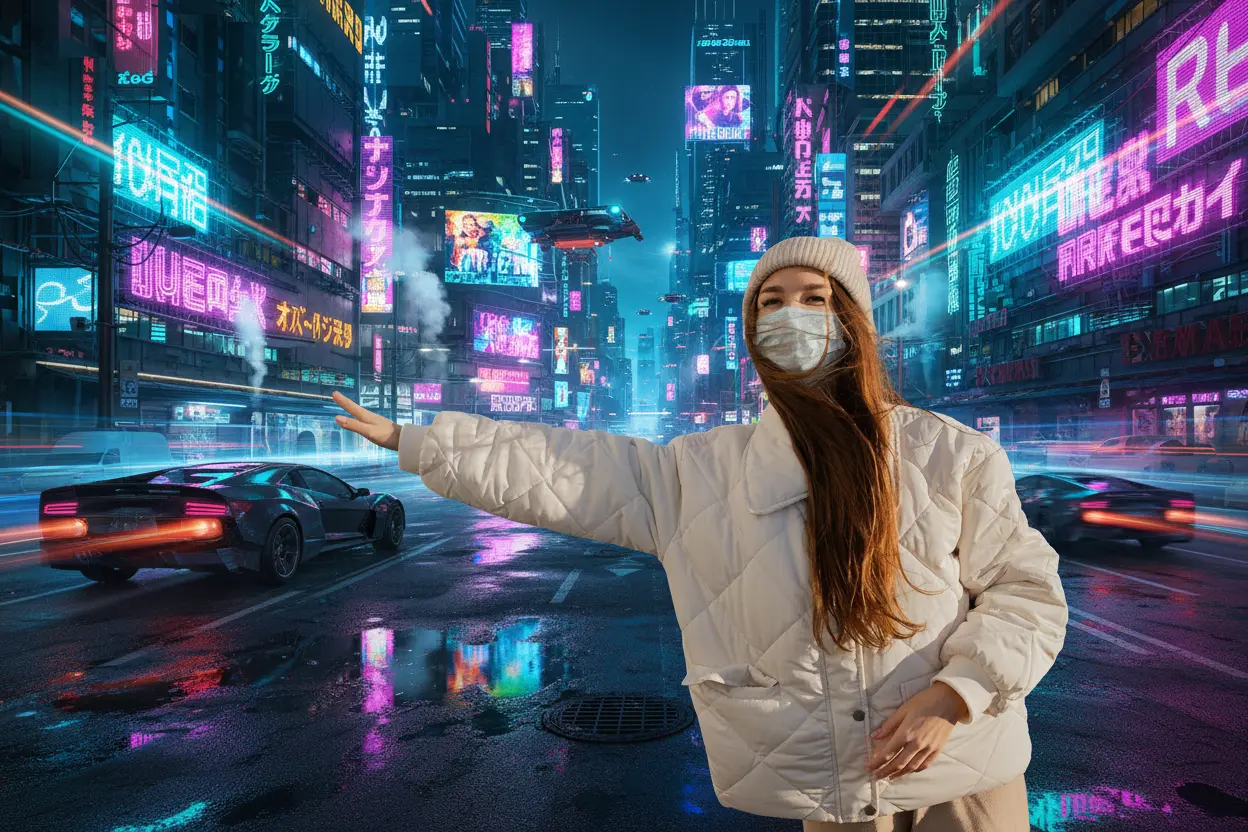
“Create a cyberpunk look with purple-blue neon reflections and a futuristic city background.”
The AI interprets genre-specific elements such as glowing lights, reflections, and digital architecture, making your photo look like a movie scene.
Step 4: Experiment, Iterate, and Personalize
Every photo can evolve endlessly. With Pixtoki AI, you can mix creativity and precision.
Tips to get the best results:
- Use Specific Prompts: Mention the mood, lighting, and style clearly
- Edit in Layers: Change one thing at a time — background, face, lighting
- Try Different Styles: From cinematic realism to watercolor or vaporwave
- Keep Originals Safe: Always download your base image before experimenting
Each adjustment trains your intuition on how Pixtoki AI interprets your artistic direction.
Conclusion: Creativity Without Limits
With Pixtoki AI, you no longer need complex software or hours of manual editing.
From background replacement to style transfer, this AI photo editor empowers anyone to craft visuals that feel personal, cinematic, and professional.
Try Pixtoki AI today — turn your imagination into images that tell stories.
Keywords optimized for SEO:
Pixtoki AI, AI photo editor, AI style transfer, AI photo transformation, AI art generator, photo to artwork, background change AI, AI lighting control, image editing tutorial.